VMware NSX: Feature Flags Management
Enterprise SaaS · Product Design
Overview
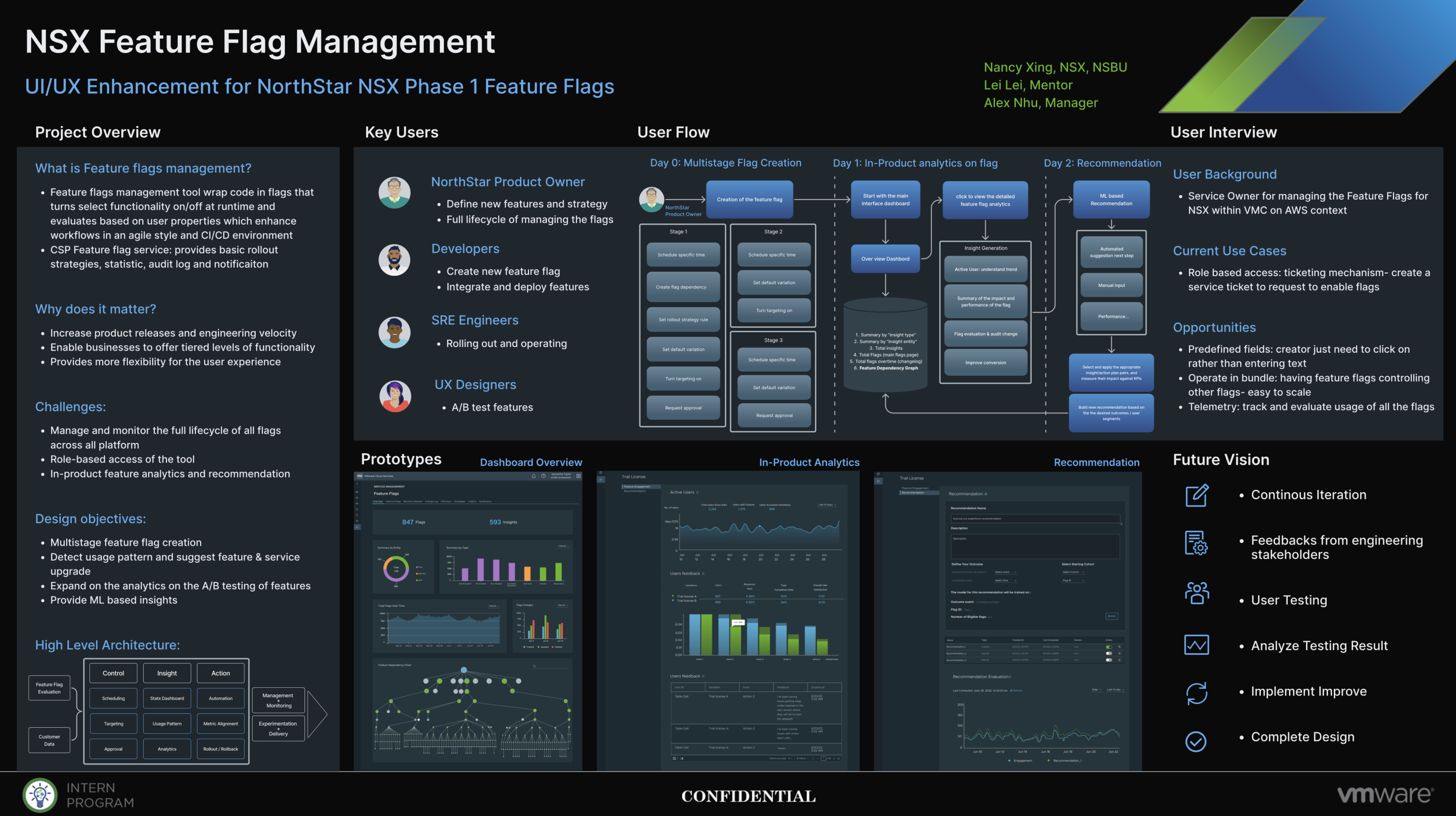
The Feature Flags Management (FFM) tool sits inside the VMware NSX portfolio. It lets teams toggle functionality at runtime through code flags scoped to user properties, so features ship, roll out, and roll back without redeploying.
I was the sole product designer, owning the work end to end: research, information architecture, user flows, and final high-fidelity screens.
Goals
What FFM set out to do
- Increase product releases and engineering velocity.
- Enable the business to offer tiered levels of functionality.
- Provide more flexibility for the user experience.
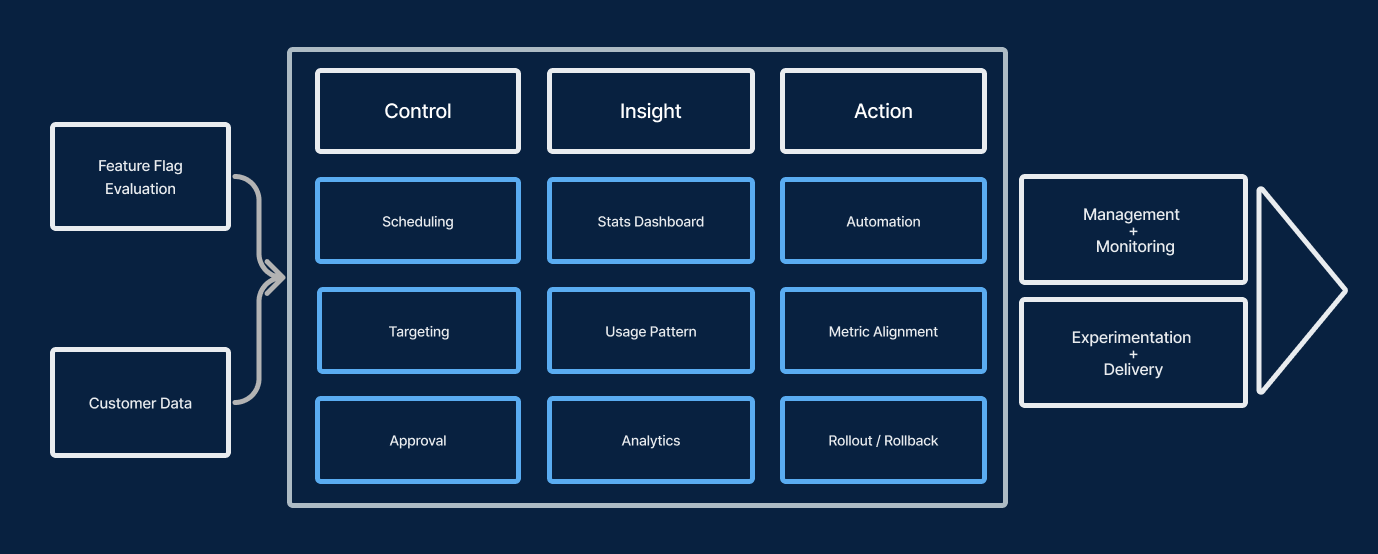
At a system level, the product is organized around three jobs, Control, Insight, and Action, that feed management & monitoring and experimentation & delivery.
Research
Understanding the people
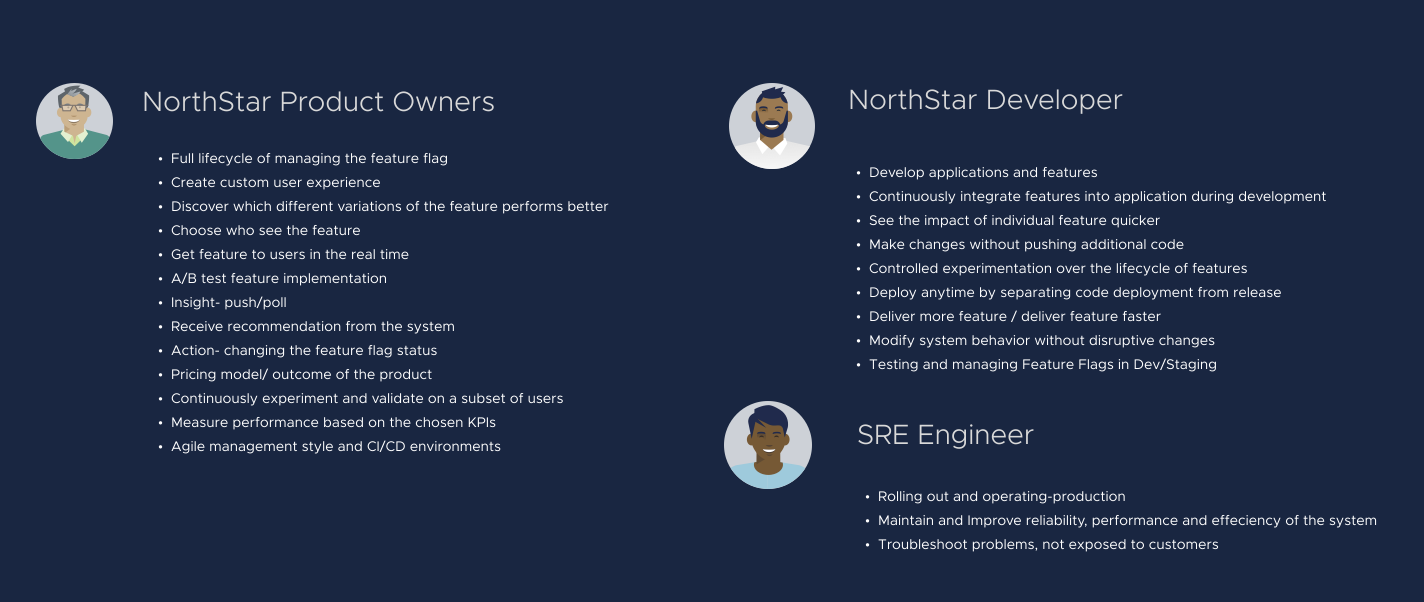
The key users for FFM are internal-facing roles at VMware as a service provider. During research I interviewed eight VMware employees, three Product Owners, three Site Reliability Engineers, and two Developers, asking each to share how they used the Feature Flags Management tool and where it hurt.
Solution
Flows built around real jobs
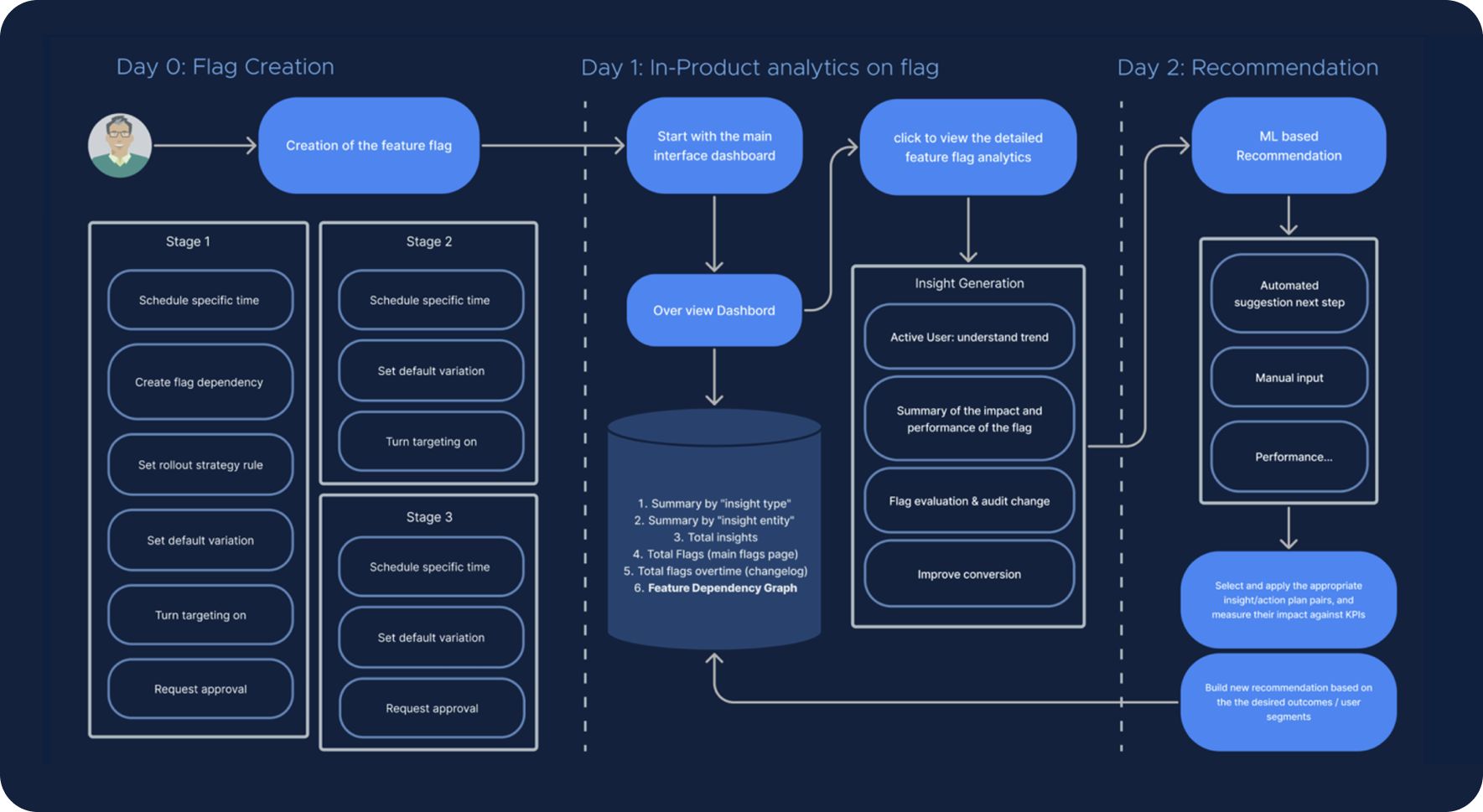
From the research I designed flows for the two roles who live in the tool most, the Product Owner and the SRE, anchored by a flag dashboard, multi-stage creation, in-context analytics, and ML-based recommendations for safe rollouts.
NorthStar Product Owner
A Product Owner runs experiments and reads the results to decide what ships:
- Create a flag with three variants going to parallel markets.
- Roll out the three versions and compare completion rate, accuracy, and cancellation, including how often users return to modify the policies and where they made changes.
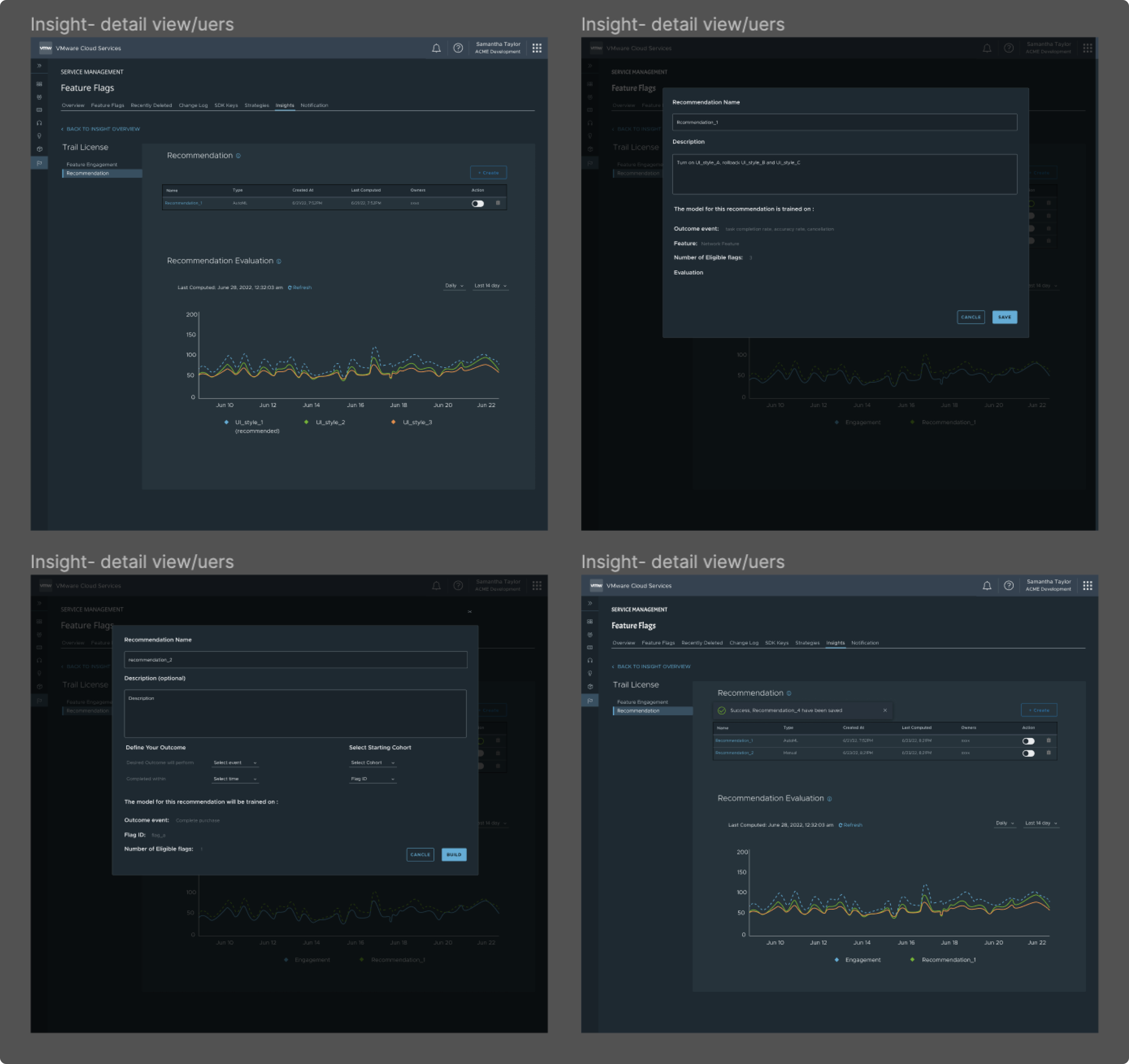
- Get an ML-based recommendation on the strongest variation, click into the real statistics behind it, and roll back the others.
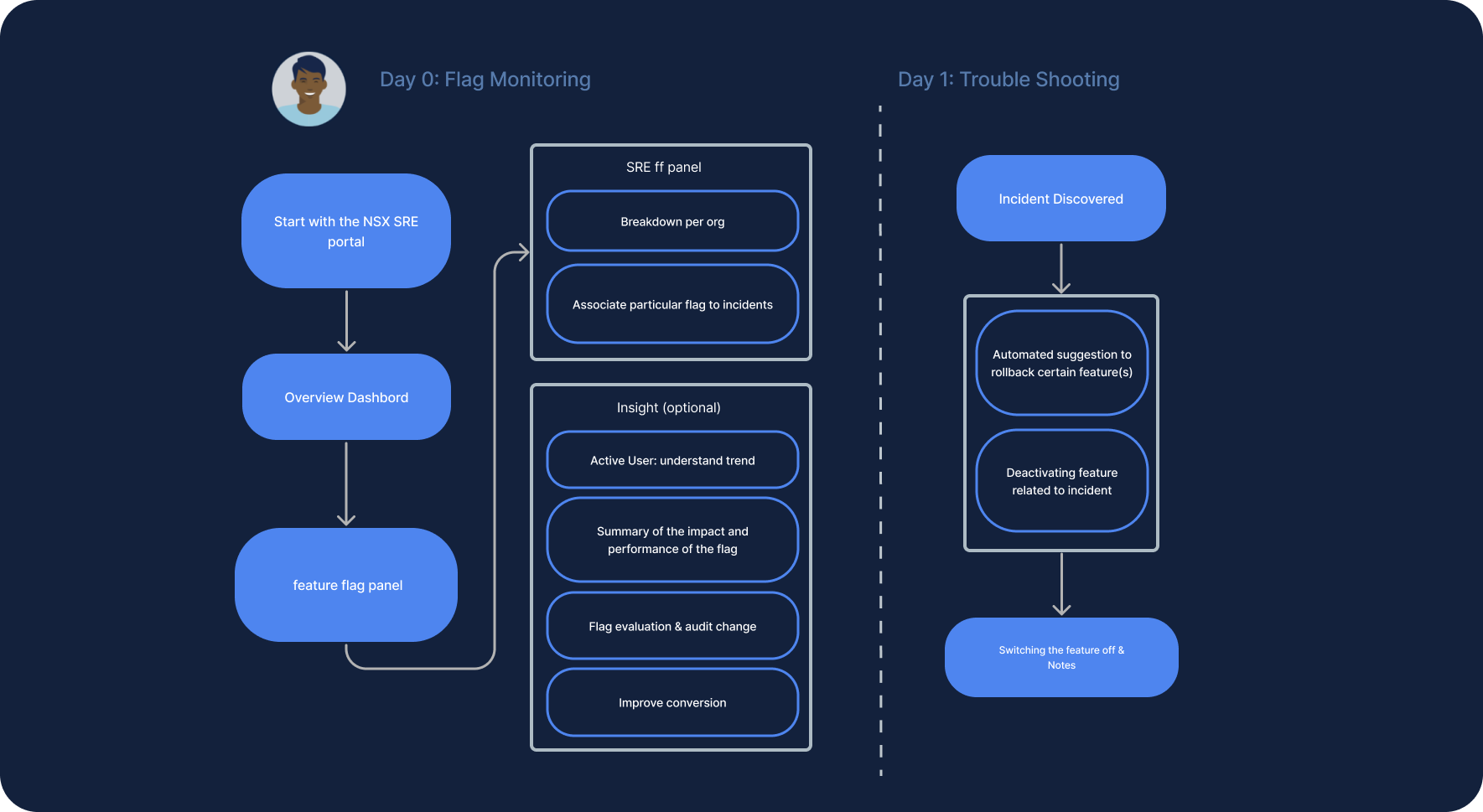
NorthStar SRE
An SRE uses flags as a reliability lever when something goes wrong in production:
- Discover that the latest release has a severe latency problem caused by a new networking feature.
- Because that feature is behind a flag, remediate instantly by switching it off, with no waiting for developers to fix the underlying code before users are unblocked.
- Treat feature flags as a way to support the core goal: maximizing reliability.
Prototypes
High-fidelity screens
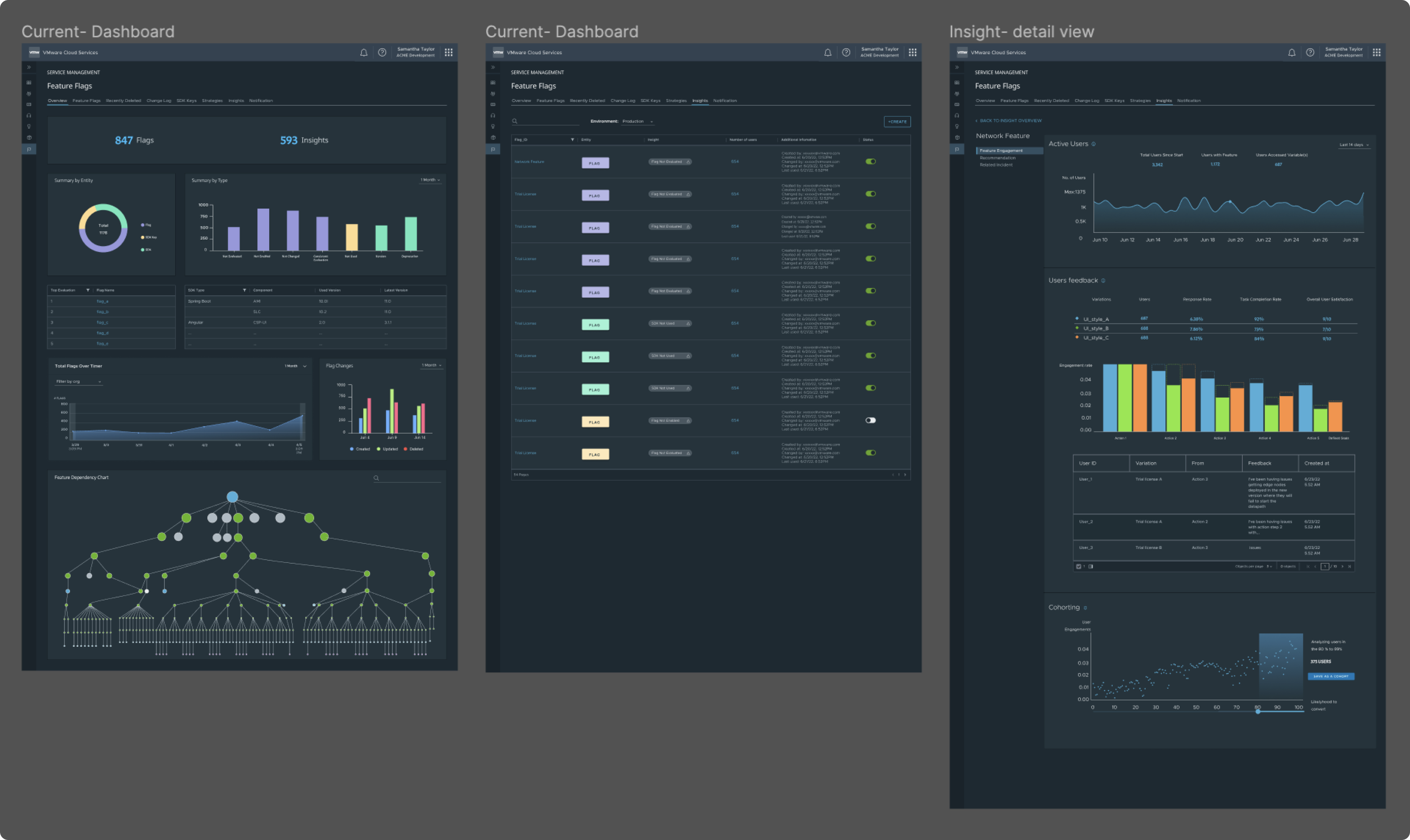
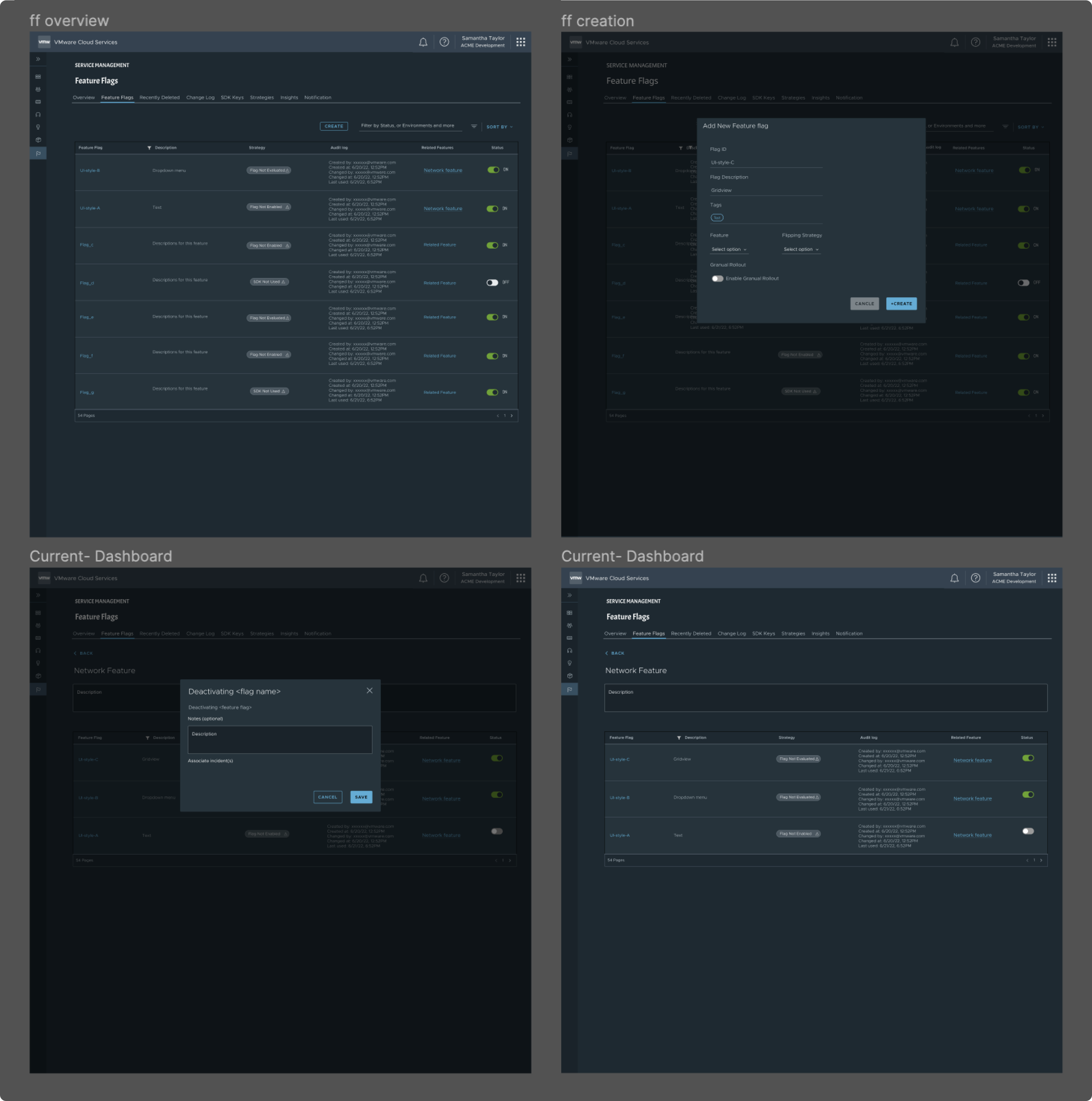
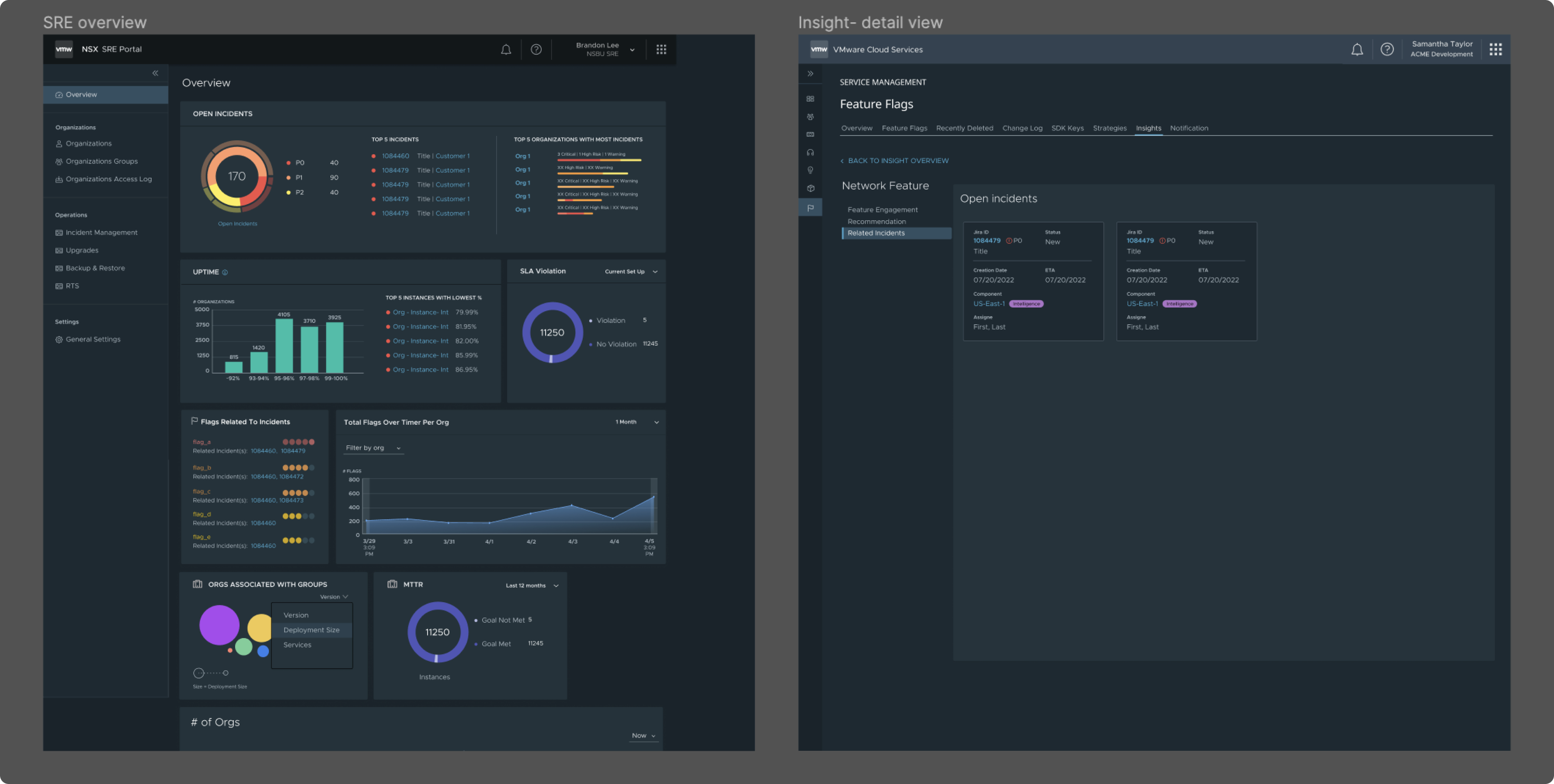
The flows came to life as a connected set of screens inside VMware Cloud Services, from the at-a-glance dashboard to flag creation, ML-driven insights, and a dedicated SRE portal.
Takeaways
What I'd carry forward
Enterprise design rewards fewer interactions, not more features. The wins came from deeply understanding a small set of expert users, then shaping each flow around the one job they actually came to do, working shoulder to shoulder with engineering and product.